



There’s a difference between losing a file and losing your phone. Deleting a photo by mistake is annoying, but it’s a contained problem. The phone still works, you just need one thing back. A phone stuck in a boot loop after a failed update, or one that took a swim and won’t turn on, is a different animal entirely. Same phrase, “data loss,” but wildly different situations underneath it.
Most guides treat iPhone recovery like it’s one problem with one fix. It isn’t. What actually happened to your phone determines what’s recoverable, how urgently you need to act, and which tool is even capable of helping. So let’s go through the real range of ways an iPhone loses data, and what each one actually calls for.
Scenario One: You Deleted Something You Shouldn’t Have
This is the everyday version. A swipe, a tap, a “clear all” button pressed a little too confidently. The phone is fine. Nothing crashed. You just want one thing back.
Here, the underlying mechanics work in your favor. Deleting a file on an iPhone doesn’t erase it immediately, it just frees up that space to be reused later. Until something else gets written there, the data is still physically present. That’s why checking Recently Deleted in Photos, Notes, or Voice Memos solves this instantly for a lot of people, since Apple holds deleted items there for 30 days before actually clearing them out.
If it’s not in any recycle bin, the phone is still fully operational, which means you have options that don’t exist once a device is damaged. You can scan the live device itself, or pull the item out of an existing backup without restoring the whole thing over your current setup.
Scenario Two: A Failed or Interrupted iOS Update
This one’s scarier because the phone often looks broken. Maybe it’s stuck on the Apple logo, maybe it rebooted into recovery mode on its own, maybe an update got interrupted by a low battery or a bad connection halfway through.
The important thing to understand is that an interrupted update is usually a software problem, not a data problem. The files are typically still sitting on the storage chip, the operating system just can’t boot properly to show them to you. Apple’s own fixes, like a force restart, DFU mode, or restoring through Finder or iTunes, are aimed at getting the phone functional again, but a full restore wipes the device and reinstalls iOS from scratch, taking your data with it unless you already have a backup.
This is exactly the gap where recovery software matters. Before you commit to a restore that erases everything, some tools can extract data from a device that’s stuck in recovery or DFU mode, since the storage itself is often intact even though the OS on top of it isn’t. Stellar Data Recovery for iPhone is built to handle this kind of situation specifically. It can work with a phone in this state and pull out photos, messages, and contacts before you go ahead with the restore that would otherwise erase them for good.
Scenario Three: Physical Damage, Water, Drops, Cracked Screens
A phone that got dunked or dropped hard enough to stop working is a genuinely different problem, and it’s the one place where I’d say don’t try to fix this yourself first.
If a phone won’t turn on after water exposure, resist the urge to charge it, press buttons repeatedly, or put it in rice and wait. None of that helps, and charging a wet phone risks a short that does real, permanent damage to the components, including the flash storage where your data actually lives. If the phone is under warranty or you can get it to a repair shop, that’s the first call, not a recovery app.
Software recovery tools generally need the phone to power on and connect to a computer to do anything. If the hardware itself is dead, no recovery software, Stellar’s or anyone else’s, can reach data that a shop can’t first get the device talking again. This is the one category where hardware repair comes before software recovery, not alongside it.
Scenario Four: A Factory Reset, Intentional or Not
Sometimes it’s not damage or a bug, it’s a reset. Maybe you were prepping an old phone to sell and grabbed the wrong device, or your kid found the Settings app and got curious, or you tapped through an “Erase All Content” prompt without quite processing what it said.
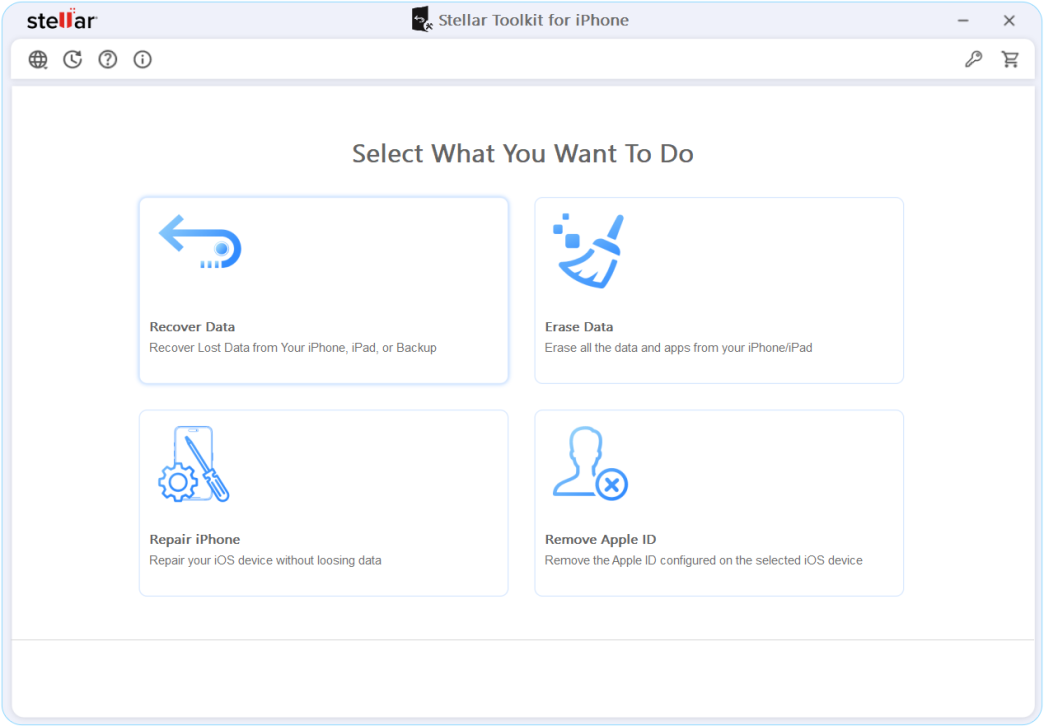
A factory reset is more thorough than a normal deletion. It wipes the encryption keys that protect your data, which is by design. It’s meant to make previously stored data functionally unreadable, since that’s exactly what you want when you’re handing a phone off to someone else. That’s good news when you’re selling a phone and bad news when you did it to yourself by accident. (Side note: if you are intentionally selling a phone and want to guarantee your old data is unrecoverable, the Stellar Toolkit for iPhone has a specific iPhone Data Eraser module built exactly for that purpose).
Recovery in this case depends almost entirely on whether a backup exists from before the reset. If you had iCloud or iTunes/Finder backing up regularly, restoring from the most recent one gets you back to that point in time. If there’s no backup, the encrypted-wipe nature of a factory reset means there’s much less to work with, which is exactly why regular backups matter more here than in any other scenario on this list.
Scenario Five: Jailbreaking or Third-Party App Issues Gone Wrong
Less common these days, but it still happens. A jailbreak tweak causes instability, or a sketchy third-party app corrupts something it shouldn’t have touched, and suddenly the phone is behaving unpredictably or data seems to have vanished from within an app.
This sits somewhere between the deletion scenario and the failed-update scenario. The phone might still boot and run, so you have more access than in a hardware-damage situation, but whatever caused the instability might keep writing to storage in ways you don’t control, which erodes your recovery window faster than a normal accidental deletion would. The advice is the same as always: stop using the phone for anything nonessential, and don’t try more tweaks or fixes on top of the one that broke things, since that just adds more writes on top of the data you’re trying to protect.
The One Thing That Matters Across All of These
However the loss happened, the same principle runs underneath every scenario here. The less you use the phone after realizing something’s wrong, the better your odds of getting it back. That’s true whether it’s a deleted photo, a failed update, or a factory reset you didn’t mean to do.
The other constant is that a full backup restore is a blunt tool. It works, but it takes an all-or-nothing swing at the problem, and it only works at all if a usable backup exists. Software built specifically for iPhone recovery, scanning the device directly, reading backups without restoring them wholesale, previewing files before committing to anything, exists precisely to fill in the situations where a blunt restore either isn’t possible or would cost you more than it saves.
Stellar Data Recovery for iPhone covers a surprising range of these cases for pure data extraction. But if you’re dealing with a combination of issues—like needing to recover iPhone data, repair a crashed iOS, and eventually wipe the iOS device cleanly before selling it—the Stellar Toolkit for iPhone bundles all those utilities into one package, saving you from juggling multiple apps.
Building in Some Insurance
The single best thing you can do is make backups boring and automatic. iCloud Photos turned on, Finder or iTunes set to back up on connect, so a bad afternoon doesn’t cost you months of data. Beyond that, treat the “Erase All Content” and “Restore” buttons with real suspicion, read prompts before tapping through them, and if your phone ever takes physical damage, get it looked at by someone with the right tools before trying anything at home.
Data loss on an iPhone isn’t one problem. It’s several different problems wearing the same disguise, and knowing which one you’re actually facing is most of the battle. The good news is that in nearly every version of this story, except the truly physical ones, there’s more room to recover than it feels like in the moment.